Preset types
Setup presets
Section titled “ Setup presets”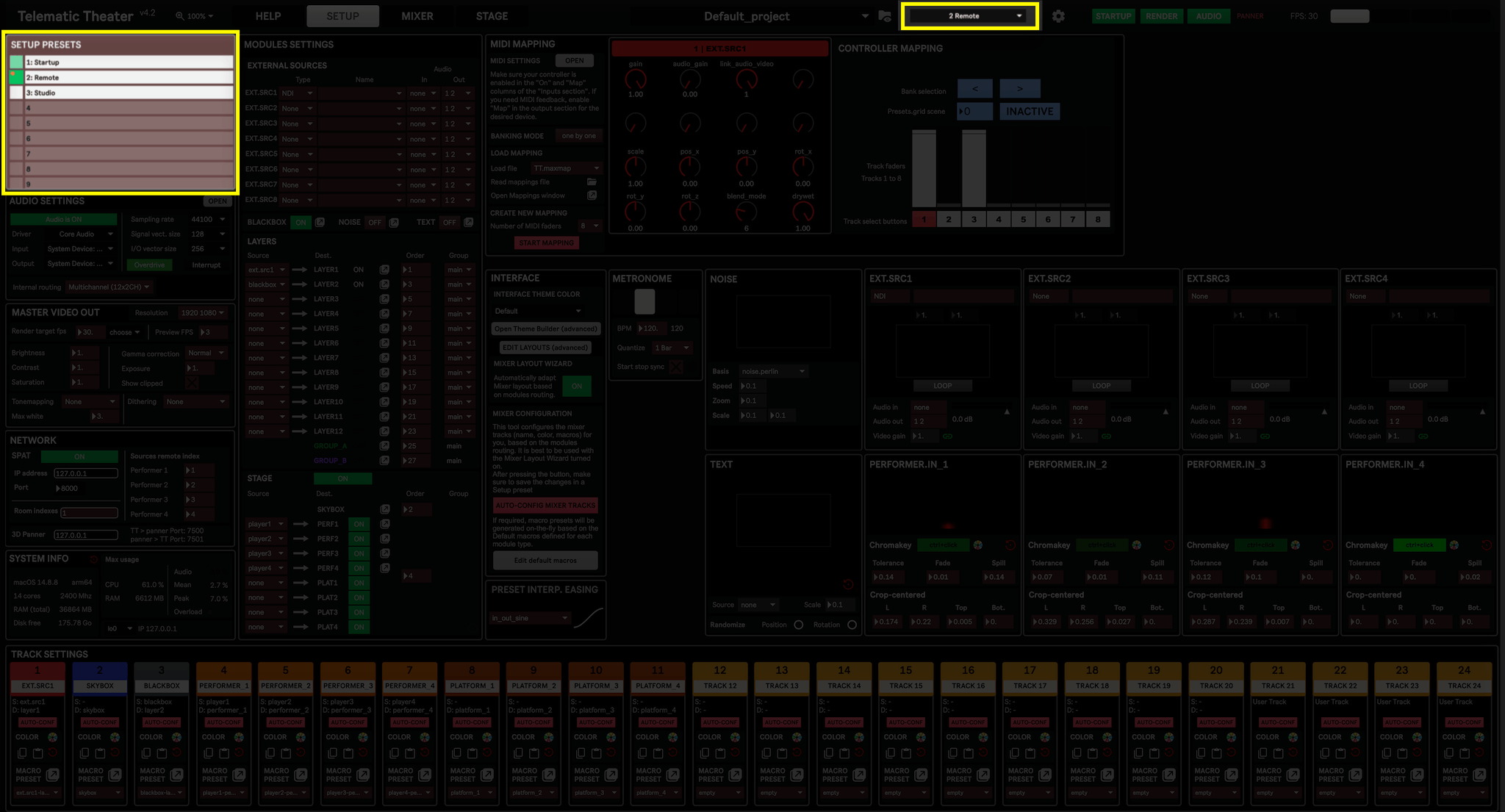
The idea behind Setup presets is to store all the parameters that define a given setup, and thus aren’t supposed to be updated during a performance. Setup Presets do not interpolate or morph between states. Instead, they function as static system states—switching from one setup to another is instantaneous and used only when a different configuration is required for distinct parts of a production.
After creating a new project, the very first step is most likely to create a Setup preset, as it defines the frame and structure of the project. See Setting up a project for more info.
Setup presets store mostly everything that can be set in the SETUP Layout, specifically the following parameters:
- Track names, colors, and Macro control presets (see Track settings)
- Routing between source and destination modules, as well as their rendering order (see Modules settings)
- All of the Performer Input parameters (including chromakey and cropping of each performers)
- Master video out options
- Spat settings
- MIDI mapping settings
- Metronome
- Preset interpolation easing
Setup presets can be managed from the SETUP layout, but are also visible and can be changed at any moment from the Dashboard.
Scenic presets
Section titled “ Scenic presets”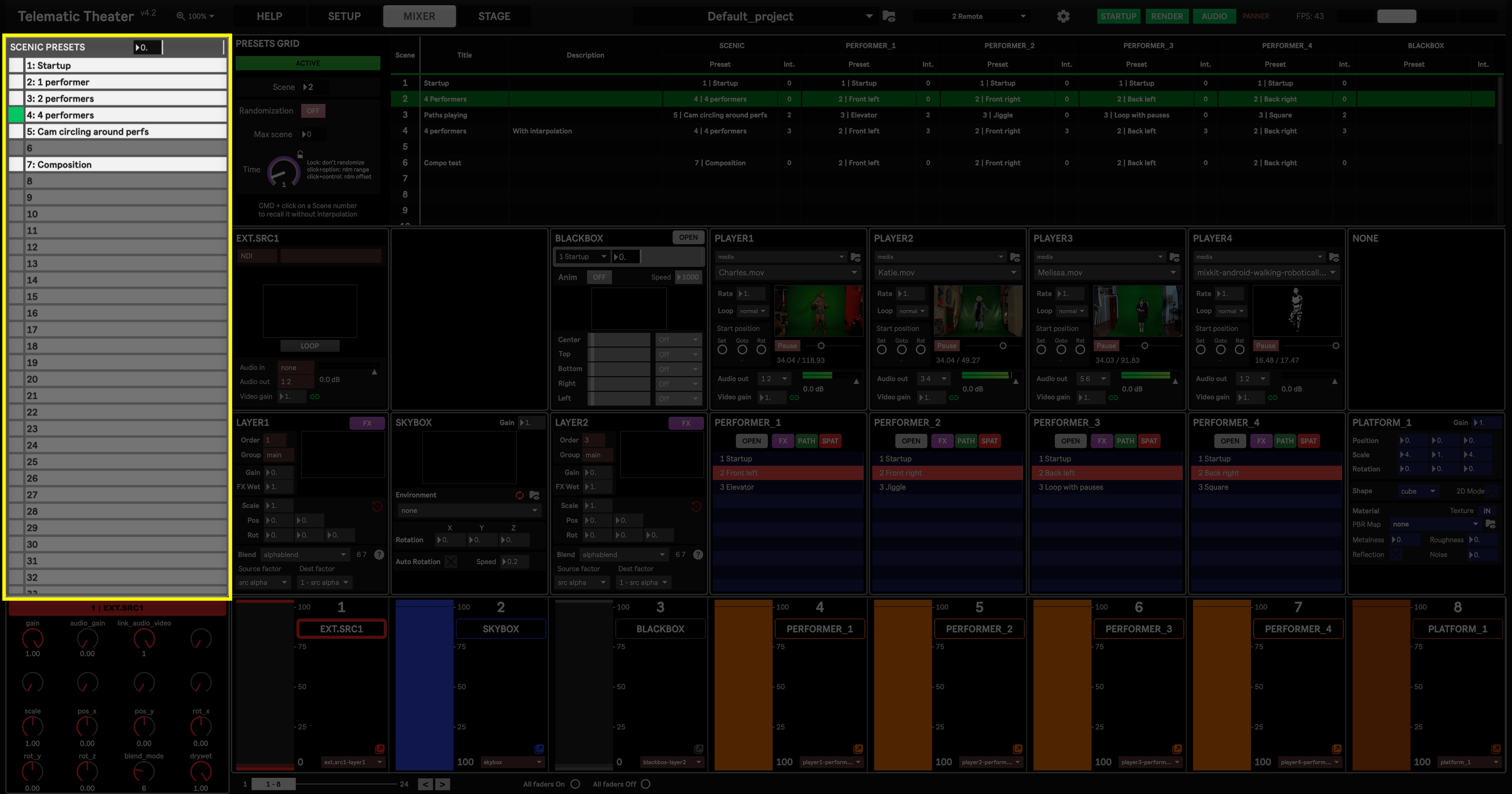
Scenic presets can be considered as the most central presets, as they store most parameters relative to a scene, or mise-en-scène. For this reason they visible onscreen both in the Mixer and Stage layouts. A performance can be imagined as a succession of Scenic presets, as well as a single Scenic preset during which the director will manually drive some parameters.
Scenic presets store parameters for the following modules:
- Layers (excluding rendering group and order, set in the Project Settings)
- Groups (excluding rendering order, set in the Project Settings)
- External sources (excluding source type and name, set in the Project Settings)
- Media players
- Noise
- Stage skybox, camera, lightings and Spat room parameters (excluding performers and platforms)
- Text
- Torrents
These elements shape the broader mise-en-scène and define the shared visual space in which the performance unfolds. Scenic presets provide the director with macro-level control of the theatrical environment, often dictating mood, atmosphere, and spatial orientation.
Scenic presets support interpolation, ie. morphing between states. This interpolation can be customized with specific durations, allowing transitions to occur gradually or instantaneously based on dramaturgical intent (see Managing Presets for more info). For example, a camera pan may unfold over several seconds while a performer fades in more rapidly, creating layered temporal effects that enhance dramatic impact.
Performer presets
Section titled “ Performer presets”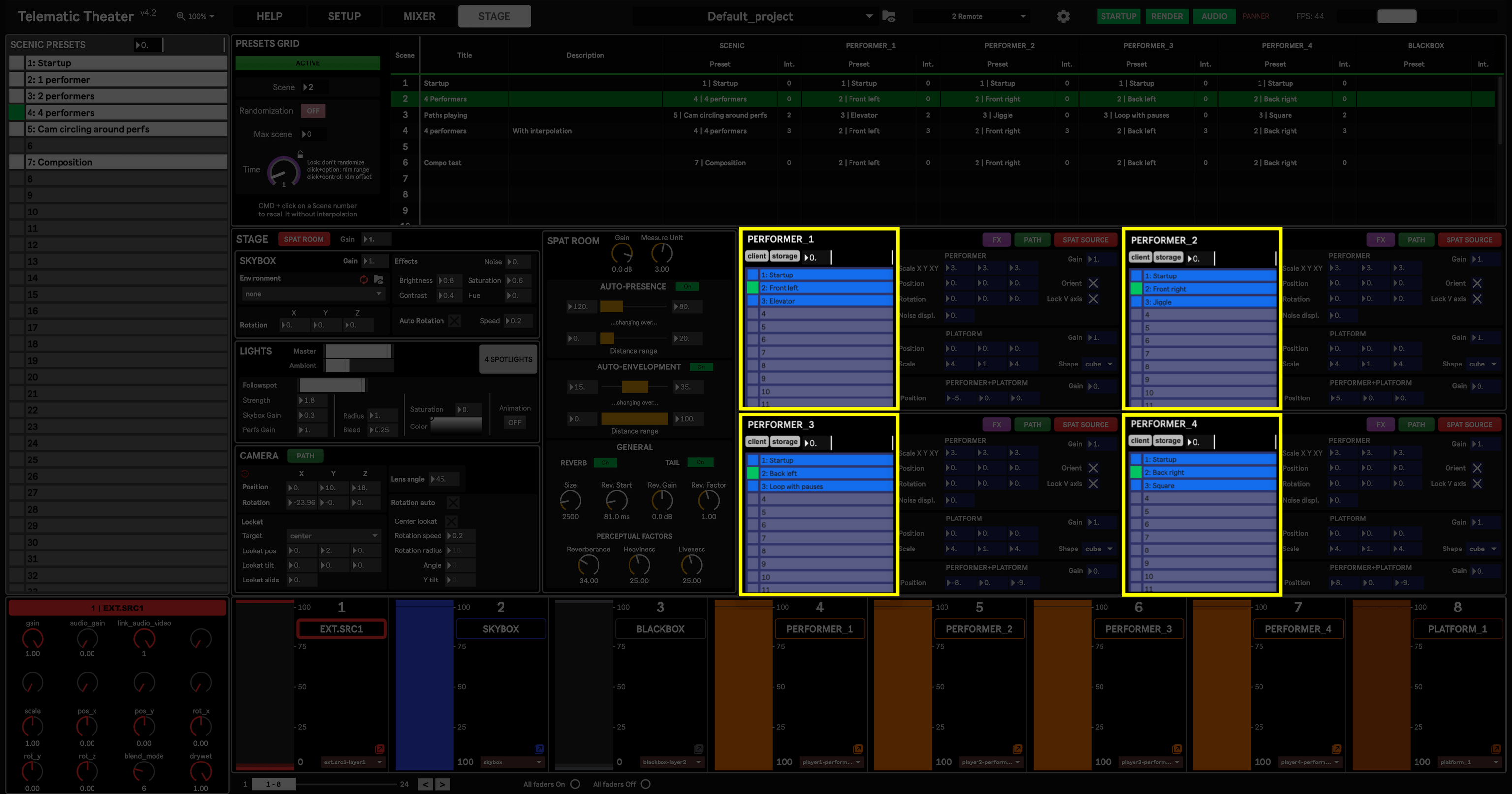
Performer presets are specific to the Performer and platform modules. Each four of them have their own dedicated set of presets, allowing to control performers-platforms individually from each other.
Performer presets can be interpolated, and can be controlled through the Presets grid.
Blackbox presets
Section titled “ Blackbox presets”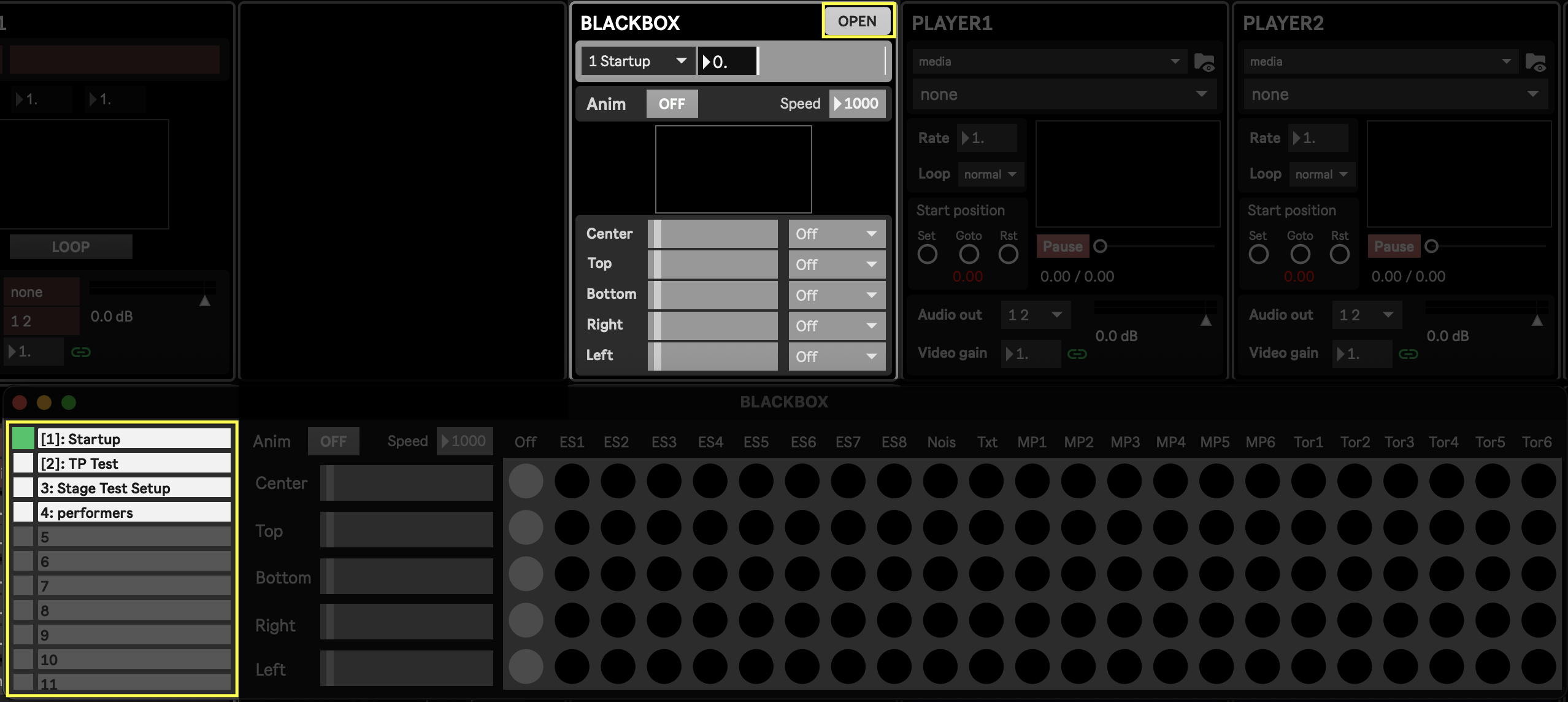
Blackbox presets are solely dedicated to the Blackbox module, and thus only stores its parameters.
They are part of the Presets grid in which they can be interpolated and sequenced algonside scenic and performer presets.
Blackbox preset controls are accessed from the Blackbox floating window opened from the “Open” button in the Blackbox module. The current preset is visible and can be changed directly from the module, in the preset menu at the top.
Macro control presets
Section titled “Macro control presets”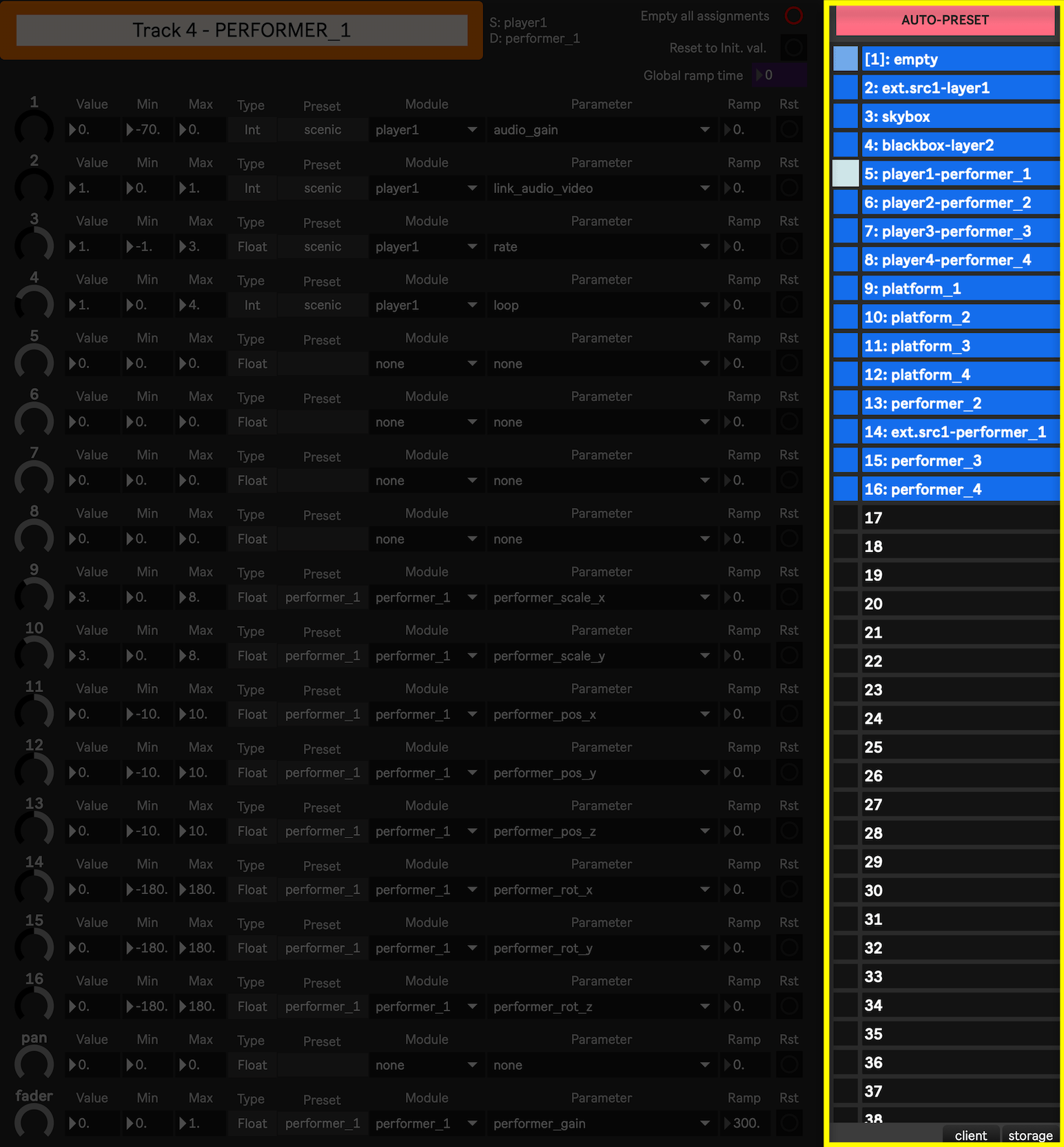
Macro control presets store the mapping between any parameters and the 16 knobs + 1 fader available in each Mixer track. Put differently, each Mixer track can have a Macro control preset tied to it, defining what is being controlled by that track. Eventually, the link between tracks and their Macro control preset is saved in the Setup presets (see Tracks settings).
To better distinguish the two levels of presets:
- Macro control presets store the mapping of any available parameter to a tracks controls (16 knobs and a fader)
- Setup presets store which Macro control preset is used for each of the 24 tracks of the Mixer
Although Macro control presets can be crafted manually through a track’s Macro assignment window, they can be automatically generated in two ways:
- on a per-track basis, through the “Auto-preset” button available in the Macro assignment window of a given track
- or for all tracks at once, through the Auto-conf Mixer Tracks feature available in the Project settings.
All 24 tracks of the Mixer share the same available Macro control presets, allowing to easily switch which track controls what without having to redo the parameter mapping.
FX Rack presets
Section titled “FX Rack presets”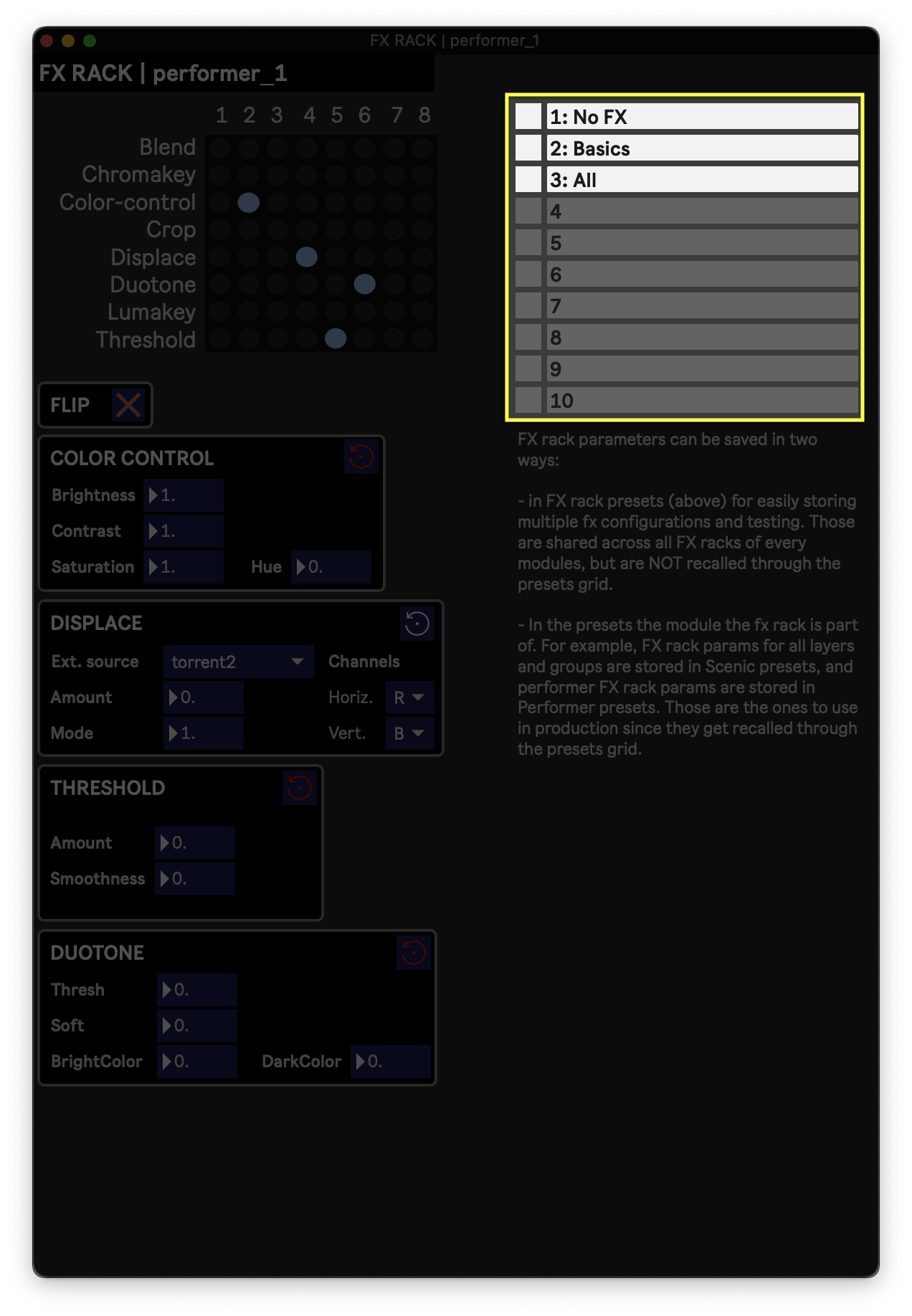
A FX rack preset is able to store a specific configuration of effects in the FX rack, ie. which effects are enabled and in which order, as well as the values for all the effect parameters in use.
FX rack presets are shared by all FX rack modules, and they can serve as a starting point for setting up effects on a given module. They can be considered as templates, but are not meant to be used live, during a show or rehearsal. All data stored in an FX rack preset can also be stored in presets the parent module is part of. For example, the state of all FX racks of all Layer modules is stored in Scenic presets. The state of the performers FX rack is stored in the corresponding performer presets.
This has a few implications:
- There is no way to recall FX rack presets through the Presets grid
- Use FX Rack presets only as templates, but use Scenic/Performer presets to store the effect configuration you want to actually use